iPhone on the table
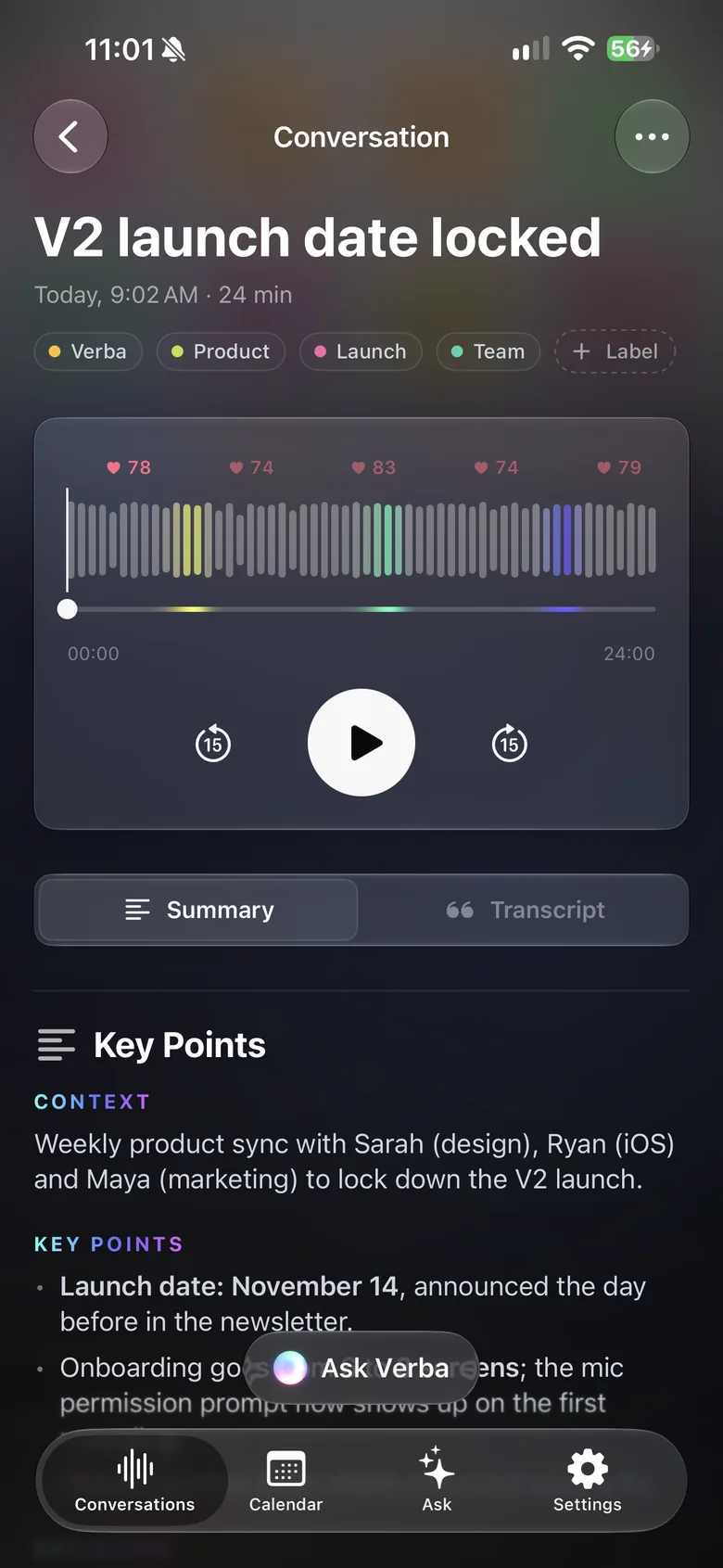
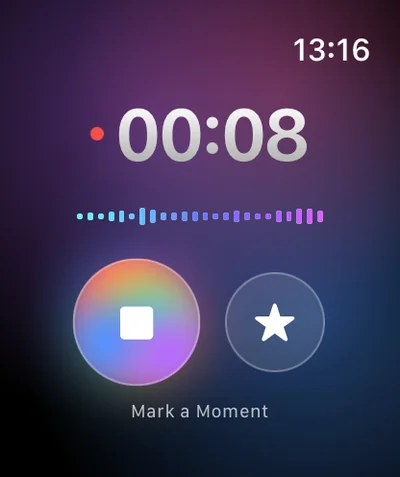
In the meeting, set your iPhone in the middle. On the walk-round, an Apple Watch on your wrist is enough to record.
Construction and project management
Trades, contractors, decisions, snags, actions with an owner: set your iPhone on the site office table and Verba drafts the minutes, site photos included.
3 free summaries · No subscription with your own key · On-device transcription
The meeting ends at noon and the minutes go out that evening… or the next day, after an hour of typing.
Actions get agreed out loud among six contractors. Without an owner and a date written down, they come back at the next meeting.
Photos from the walk-round stay in the camera roll, disconnected from the point they illustrate.
With Verba
In the meeting, set your iPhone in the middle. On the walk-round, an Apple Watch on your wrist is enough to record.
With one instruction, the summary follows your template: attendees, progress by trade, decisions, snags, actions.
Take photos in Verba or let it suggest the ones taken during the meeting; visible text (labels, signs, drawings) is recognized.
Double Tap on the Watch marks the moment a snag is raised or a decision is made.
Email the minutes to the meeting’s attendees, and send the actions to Apple Reminders.
With Ask: “When did we sign off the shutter colour?” Verba searches all your meetings.
Sample summary
A made-up example: names, places and figures are fictional. The real content depends on what’s said in your meeting and on your instructions.
Example
Your format, in one instruction
Copy this text, then paste it into Verba, in Settings › Custom Instructions.
Write construction site meeting minutes: date, trades and contractors present, progress by trade, decisions, snags, actions with owner and due date, date of the next meeting. Present the actions as a list.
Announce at the start that the meeting is being recorded, and get the attendees’ agreement. Never record anyone without their knowledge.
The generated minutes are a draft to review: they don’t replace the minutes you circulate and remain responsible for, nor a handover or completion certificate. They can contain mistakes, especially in company names or package references.
Photos and recordings stay on your devices and in your iCloud. No account, and you can use your company’s OpenAI-compatible server for the summary.
Yes, with your iPhone in your pocket or an Apple Watch on your wrist. A noisy environment can reduce transcription quality: for key points, move closer to the person speaking, or dictate a short note somewhere quiet.
No, there’s no formatted PDF export. You can copy or share the summary text, the transcript or the audio, and drop them into your usual template.
From Verba, email them to the attendees of the calendar meeting, or share the text with any app. Actions can also go to Apple Reminders.
No. Verba is a note-taking aid. Handover and completion documents, and their snag lists, remain documents you draw up and sign under the usual rules.
The audio stays on your devices and in your iCloud, and transcription happens on the device by default. To write the summary, the transcript text is sent to the model you chose: Mistral, a European model, by default, through the Verba API and OpenRouter, and Verba doesn’t store it. With your own key or your company’s server, it doesn’t go through Verba.
Client meetings, voice notes between visits, follow-ups in Reminders.
Learn moreClient meetings, on-device transcription, your firm’s own server.
Learn moreObservations dictated on site, photos, text recognized in images.
Learn moreViewing reports for the seller, room-by-room photos, buyer feedback.
Learn moreDamage described by voice, photos, timeline, draft report.
Learn moreInterviews, structured candidate notes, scorecards.
Learn moreInterviews, timestamped transcripts, quotes marked ★, source protection.
Learn moreWorkshops, decisions, action plans, client recap.
Learn more
Coming soon to the App Store, for iPhone, iPad, Apple Watch and Mac.
Coming soon to the App Store