Double Tap to start
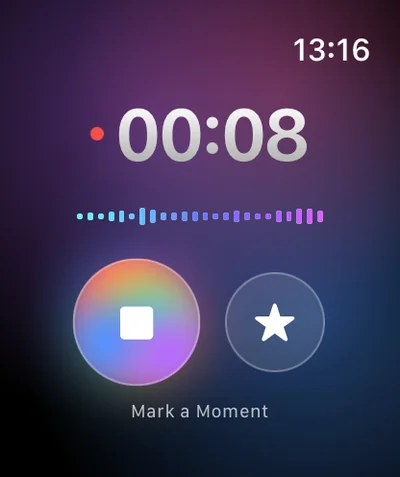
On compatible Apple Watch models, Double Tap starts recording; Double Tap again marks a moment ★ when the client says something important.
Field sales
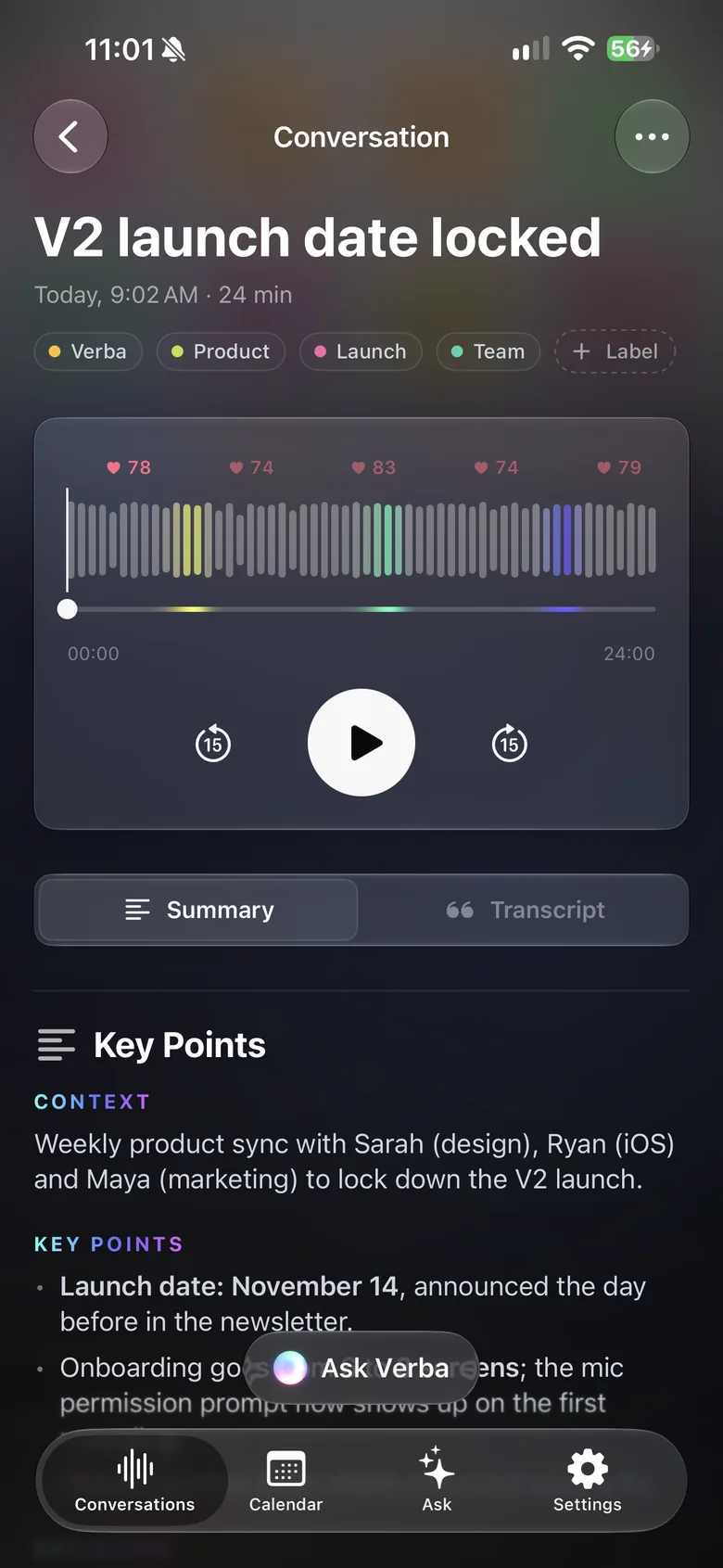
Set your iPhone on the table and Verba listens with you. By the time you leave, the summary is ready: the client’s needs, objections, commitments and follow-ups.
3 free summaries · No subscription with your own key · On-device transcription
Four meetings a day, notes scribbled in a notebook, and every evening you retype it all from memory.
While you’re taking notes, you miss an objection, a name, a number. And your client notices.
The quote you promised “by Thursday” isn’t written down anywhere. A week later, the client has moved on.
With Verba
On compatible Apple Watch models, Double Tap starts recording; Double Tap again marks a moment ★ when the client says something important.
Once you’ve parked, dictate your impressions to your iPhone or Watch: Verba transcribes them and pulls out what matters.
Tasks spotted in the conversation (send the quote, call the buyer back) go straight to Apple Reminders.
Email the summary to the meeting’s attendees, or copy it into the tool you already use.
With Ask, question your conversations by text or voice: requested terms, competitors mentioned, dates promised.
From the calendar, open the meeting, read your prep notes and start recording at the right moment.
Sample summary
A made-up example: names, places and figures are fictional. The real content depends on what’s said in your meeting and on your instructions.
Example
Your format, in one instruction
Copy this text, then paste it into Verba, in Settings › Custom Instructions.
Write a sales meeting summary: client and attendees, needs expressed, objections and how they were answered, competitors mentioned, budget and timeline discussed, commitments made on each side, next steps with owner and due date. End with a short recap email, ready to send to the client.
Always tell the other person before you record and get their agreement. Recording laws vary by country and state, and many require everyone’s consent.
Recordings contain your clients’ personal data, and you remain responsible for how you use it (under the GDPR in Europe). Verba needs no account and doesn’t keep your conversations on its side; you can turn on automatic deletion after 7, 30 or 90 days or 1 year.
On iPhone, no app can record a phone call: Apple doesn’t allow it. For a video meeting, use Verba on Mac, which records the Mac’s sound and your microphone.
Not on iPhone: Apple doesn’t let any app record phone calls. In person, set your iPhone on the table. For a video call (Zoom, Meet, Teams), Verba on Mac records the Mac’s sound and your microphone. Either way, let the other person know.
No, there’s no CRM integration. You can copy or share the summary, transcript or audio and paste them into whatever tool you use. Tasks go to Apple Reminders.
The audio stays on your devices and in your iCloud, and transcription happens on the device by default. To write the summary, the transcript text is sent to the model you chose: Mistral, a European model, by default, through the Verba API and OpenRouter, and Verba doesn’t store it. With your own key, the text goes straight to the provider you chose; with your company’s OpenAI-compatible server, nothing goes through Verba.
No. The Watch is a handy shortcut (Double Tap, marked moments ★), but an iPhone, iPad or Mac is all you need to record.
Your first three summaries are free. After that, Premium is €9.99 a month and Diamond €49.99 a month. With your own API key, Verba is free with no limit on its side: you pay the provider directly.
Client meetings, on-device transcription, your firm’s own server.
Learn moreObservations dictated on site, photos, text recognized in images.
Learn moreSite meetings: progress by trade, decisions, snags, actions.
Learn moreViewing reports for the seller, room-by-room photos, buyer feedback.
Learn moreDamage described by voice, photos, timeline, draft report.
Learn moreInterviews, structured candidate notes, scorecards.
Learn moreInterviews, timestamped transcripts, quotes marked ★, source protection.
Learn moreWorkshops, decisions, action plans, client recap.
Learn more
Coming soon to the App Store, for iPhone, iPad, Apple Watch and Mac.
Coming soon to the App Store