Timestamped transcript
On the device, in 11 spoken languages; every passage is timestamped so you can find it in the audio.
Journalists
Verba records and transcribes on the device, with timestamps. Moments marked ★ take you straight to the lines worth quoting.
3 free summaries · No subscription with your own key · On-device transcription
Finding the right sentence in an hour-long interview means listening, skipping ahead, going back.
An approximate quote invites a denial. You need the exact words, and when they were said.
Some interviews shouldn’t pass through any server you don’t control.
With Verba
On the device, in 11 spoken languages; every passage is timestamped so you can find it in the audio.
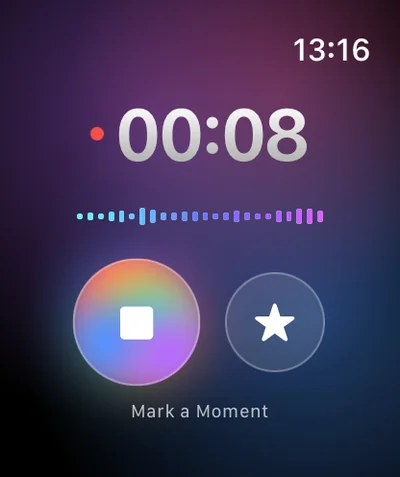
Double Tap on the Watch during the interview marks the moment: you’ll find it on the conversation’s timeline.
No account, on-device transcription. For the summary, your own key or your own server: then nothing goes through Verba.
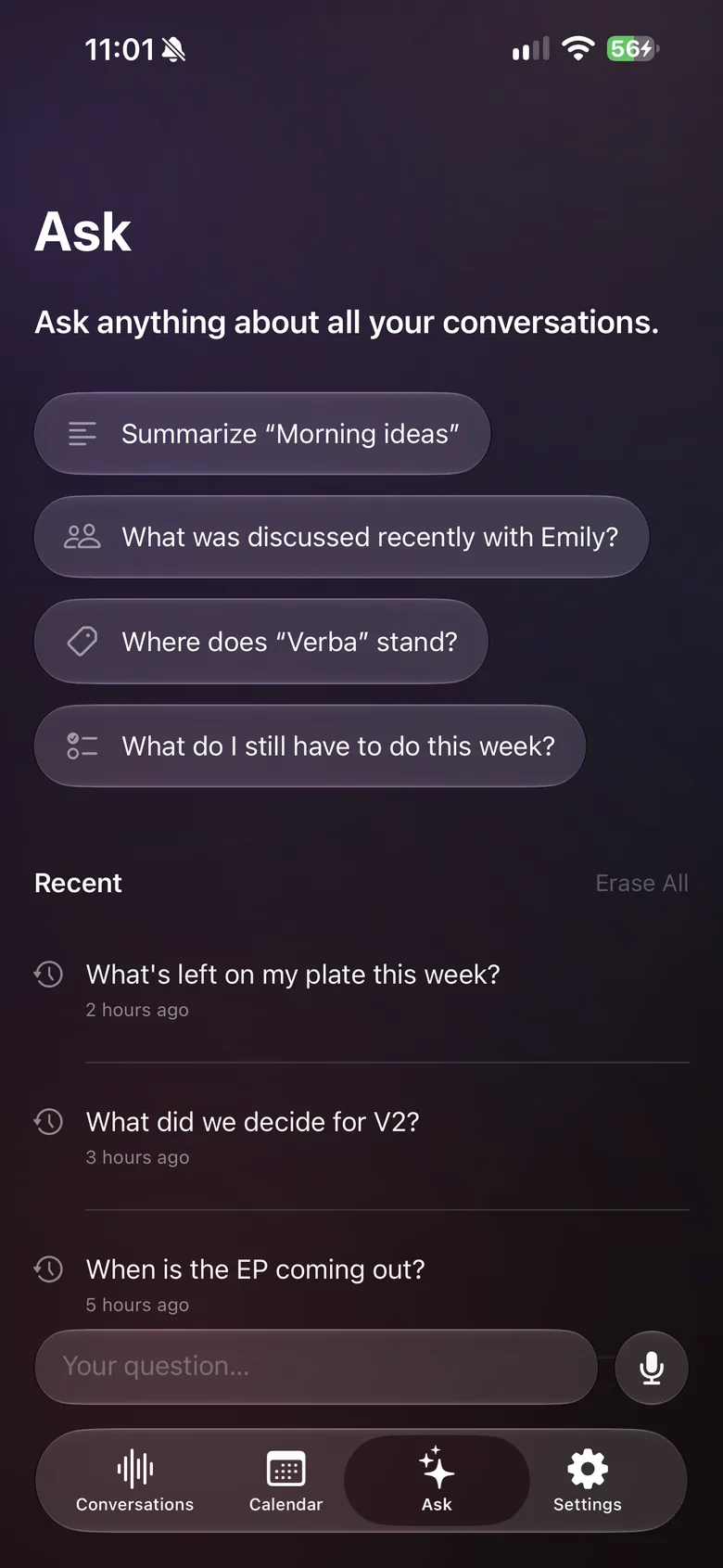
With Ask, by text or voice: “What did the deputy mayor say about the schools budget?”
On Mac, Verba records the call’s sound and your microphone.
Share or copy the transcript, summary or audio with your newsroom.
Sample summary
A made-up example: names, places and figures are fictional. The real content depends on what’s said in your meeting and on your instructions.
Example
Your format, in one instruction
Copy this text, then paste it into Verba, in Settings › Custom Instructions.
Write interview notes: interviewee and their role, context, main points in the order of the interview, then the marked or strongest quotes, word for word in quotation marks, with their timestamp when available. List the facts and figures claimed that need checking, and any leads or contacts mentioned. Never paraphrase a quote and never add anything that wasn’t said.
Tell the interviewee you’re recording, and agree on the terms: on the record, off the record, anonymous quote.
For sensitive interviews: by default, transcription happens on the device and the audio stays on your devices and in your iCloud. Only the text is sent to the model that writes the summary; with your own key or your own server, it doesn’t go through Verba. Turn on automatic deletion if you don’t want to keep anything.
Always check a quote against the audio before publishing: automatic transcription and summaries can contain mistakes.
They come from the transcript, which can get a word, a name or a number wrong. Always listen to the passage in the audio before publishing a quote.
On-device transcription works in 11 spoken languages: French, English, German, Spanish, Italian, Dutch, Portuguese, Polish, Japanese, Korean and Chinese.
Not on iPhone: Apple doesn’t let any app record phone calls. For a video interview, use Verba on Mac. Always tell the other person.
The audio stays on your devices and in your iCloud, and transcription happens on the device by default. To write the summary, the transcript text is sent to the model you chose: Mistral, a European model, by default, through the Verba API and OpenRouter, and Verba doesn’t store it. With your own key, the text goes straight to the provider you chose; with your own OpenAI-compatible server, nothing goes through Verba.
On your devices, synced through your own iCloud account. Verba has no user accounts and doesn’t keep your conversations. Factor this iCloud storage into your risk assessment for sensitive sources.
Client meetings, voice notes between visits, follow-ups in Reminders.
Learn moreClient meetings, on-device transcription, your firm’s own server.
Learn moreObservations dictated on site, photos, text recognized in images.
Learn moreSite meetings: progress by trade, decisions, snags, actions.
Learn moreViewing reports for the seller, room-by-room photos, buyer feedback.
Learn moreDamage described by voice, photos, timeline, draft report.
Learn moreInterviews, structured candidate notes, scorecards.
Learn moreWorkshops, decisions, action plans, client recap.
Learn more
Coming soon to the App Store, for iPhone, iPad, Apple Watch and Mac.
Coming soon to the App Store